What is actually built
I build Vilanel on my own and do not distribute it, so treat this as a description of a codebase rather than a product. Everything below is in the repository today.
The graphics card decides what to draw
Deciding which objects are visible, how detailed a version of each to draw, and what pose every animated character is in all happens on the graphics card rather than the processor. That is what keeps a large scene affordable.
- Shadows get the same visibility test
- Working out what can be seen used to happen once, for the camera. Shadows were drawn separately and skipped it entirely, so every object in the level was redrawn for every shadow, whether or not it was anywhere near one. The same test now runs for the camera and for each shadow, sharing one list of objects.
- Motion is tracked so the image can be smoothed
- The renderer averages each frame with the ones before it to remove jagged edges, which only works if it knows where everything moved to. An animated character used to report how the whole object moved and nothing about how it bent, so a swinging arm smeared. It now tracks the pose itself.
- Hundreds of lights, and transparency that works
- Lights are sorted into a grid so each surface only has to consider the ones near it. The common alternative is faster for solid objects but then makes glass, smoke and smooth edges awkward, and spending the rest of the project working around that is a bad trade.
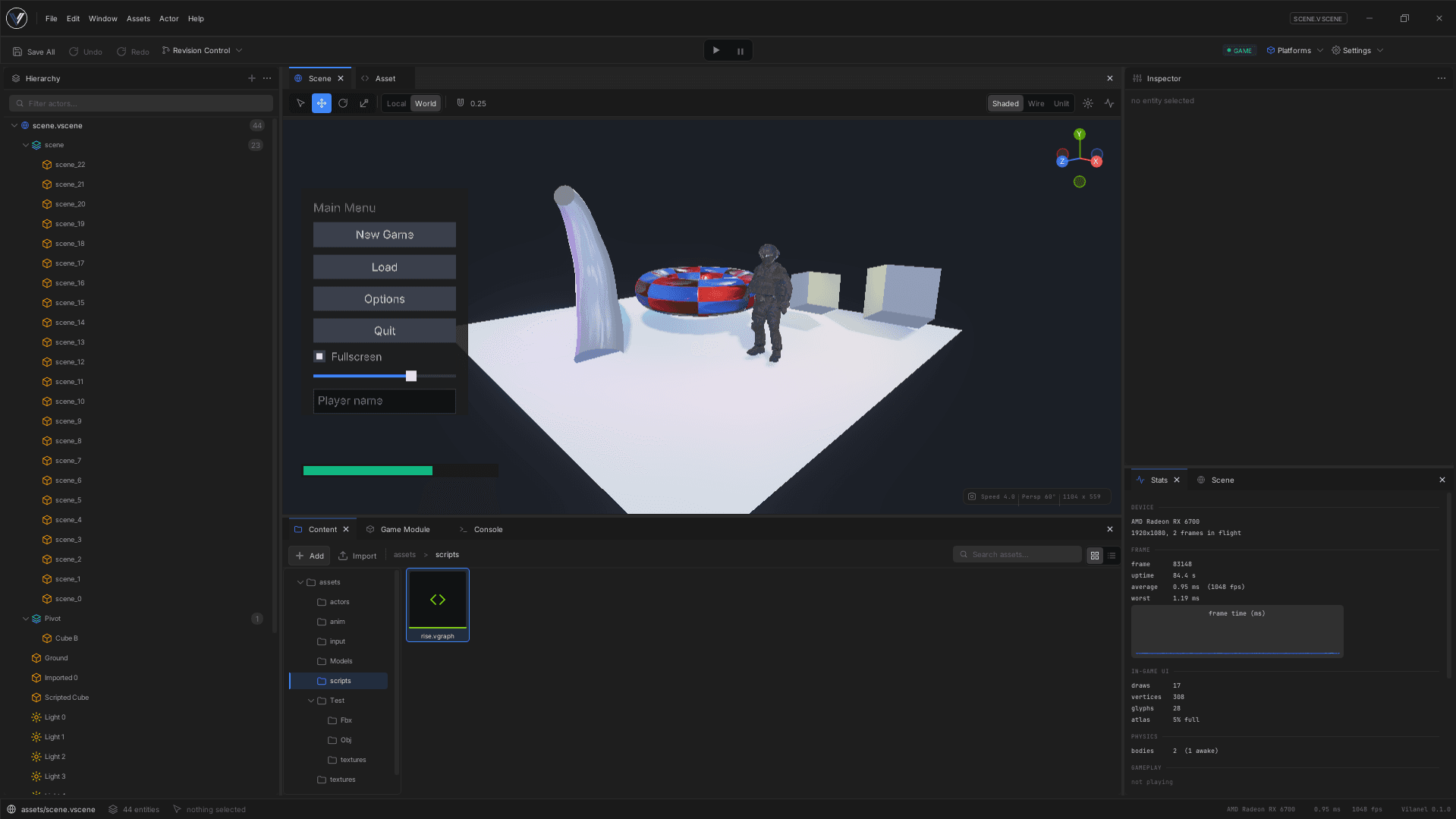
Change gameplay code without restarting
Gameplay lives in a library the editor loads separately. Rebuild it and the editor swaps it in with the level still open, the camera where you left it and the objects still holding their state.
- This came first, on purpose
- It was the third thing built, before there was much to convert. Reloading code while it is running places real constraints on how everything else is written, and discovering those late would have meant rewriting whatever had been built in the meantime.
- Your objects survive the swap
- The engine knows what fields each type has, so it can move live objects across a reload rather than resetting the level. That is also why it can handle a type it has never seen before, defined in your game code rather than the engine.
- The catch is stated up front
- There is no safety net. A crash in gameplay code takes the editor down with it. That is a trade I can accept because I also wrote the engine, so a crash in gameplay is a crash in code I own either way.
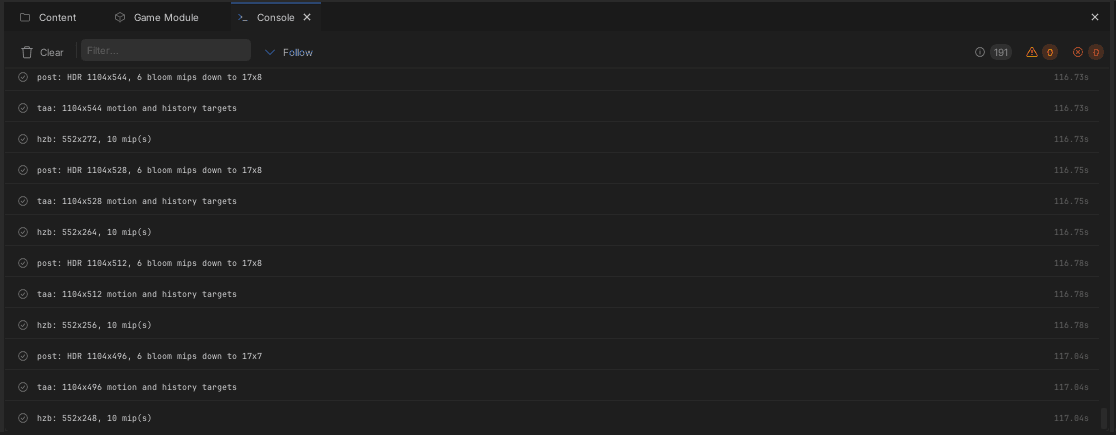
One editor for game logic and animation
Wiring up game logic and building an animation blend tree use the same canvas, the same file format and the same runtime. Only the available nodes differ.
- Building a second editor would have split them
- Panning, zooming, the grid, box selection and dragging several nodes at once are the same job in both. Written twice, they drift apart, and you end up with two editors that behave differently for no reason anyone chose.
- Only the animation that is playing gets calculated
- A character with twenty animation states should cost one animation, not twenty. Getting that right meant the graph compiler had to be careful about where it puts the work, because the obvious way to build it calculates every branch before choosing one.
- Connections are readable without colour
- Every connection carries a type, and colour is the fastest way to read one. But colour alone is never enough, so the shape differs too: the order things run in is a triangle, a value is a circle. Red and green connections sit inches apart in a graph, which is the worst possible place to depend on telling them apart.
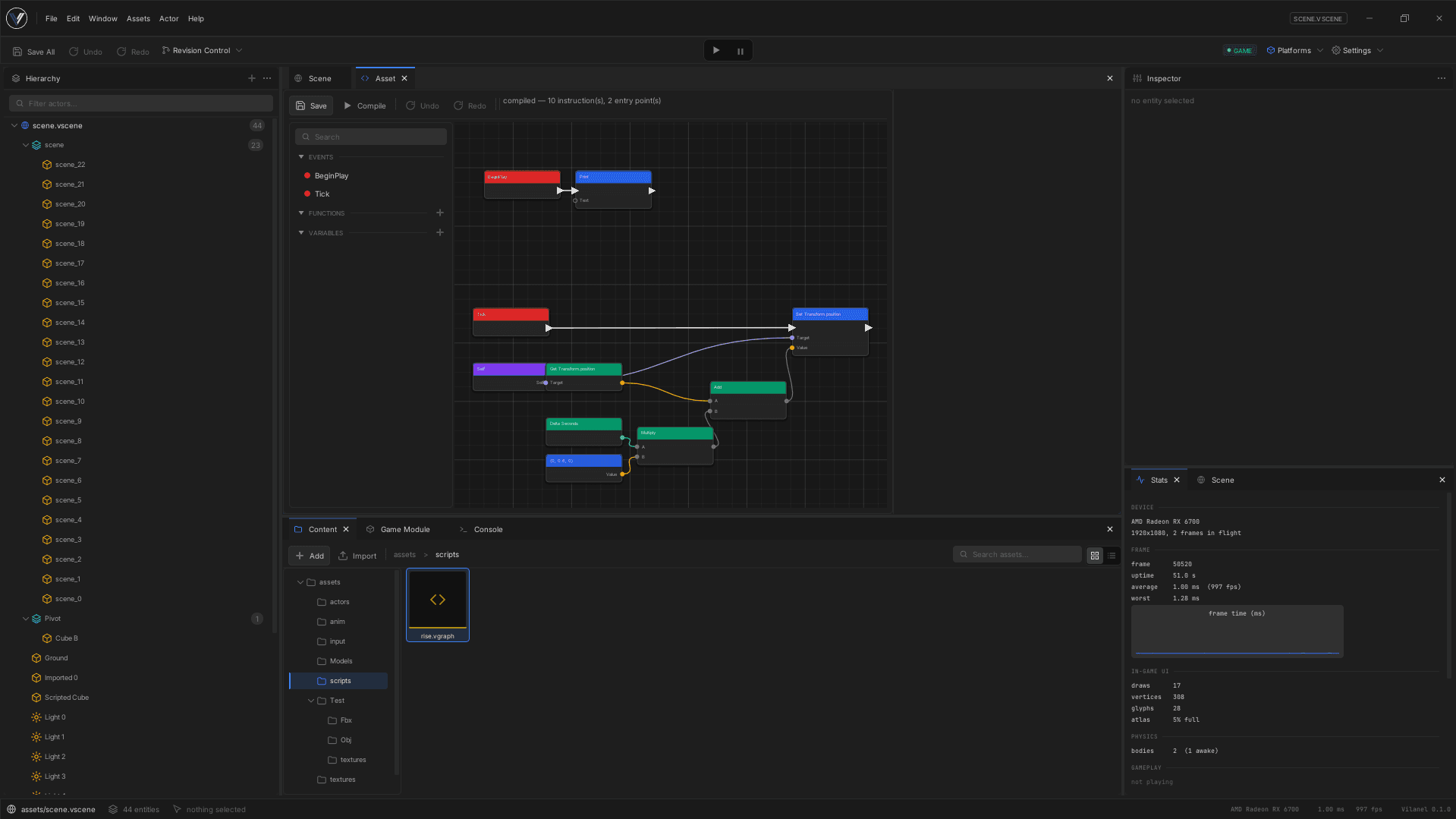
Interfaces are laid out, not assembled in code
Menus, HUDs and inventory screens are laid out in a visual designer inside the editor and saved as files, rather than assembled in code.
- Owning it is what makes the designer good
- The widget model, the styling and the file format are all written here, so the designer can expose every one of them. Wrapping an existing library would have capped it at whatever that library already thought of, and the designer is where most of the value is.
- Everything is undoable, by construction
- No part of the editor is allowed to change a document directly. Every edit goes through one place, because the moment a panel writes a change itself, that is the change undo does not know about.
- Text rendering is borrowed, deliberately
- Turning characters into shapes, and deciding how they sit next to each other in any given language, is decades of specialist work and the existing libraries are excellent. Layout, styling and input handling are written here, because those are the parts that have to fit the engine.
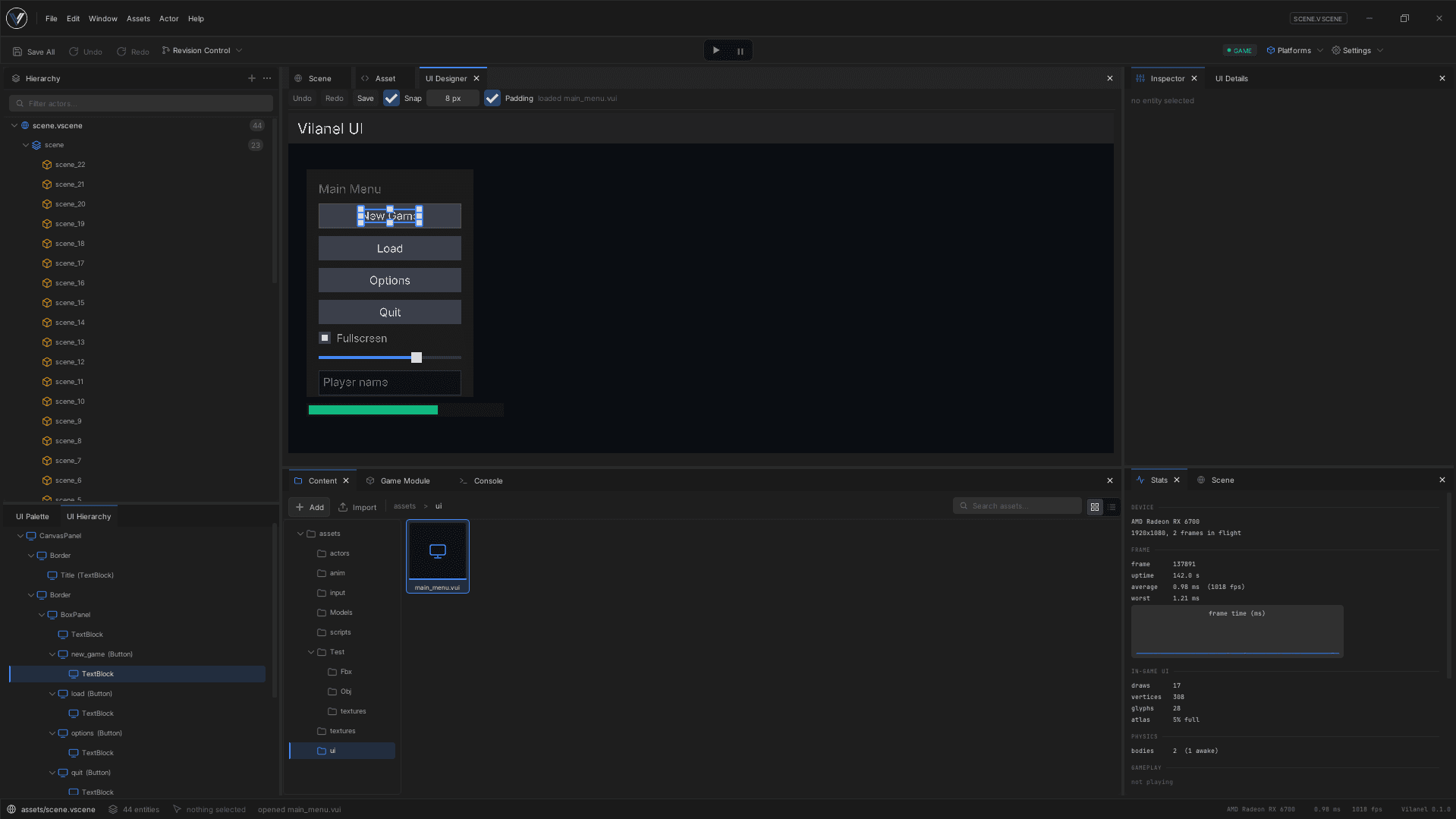
The window belongs to the application
A tool that spends its top strip on its own toolbar and then puts the operating system's title bar above it has two title bars, one of them in a typeface nothing else in the application uses. So the editor draws the whole window.
- The run button is not inside a panel
- Play affects everything, so its controls sit in the toolbar rather than in whichever panel happens to be showing the level. An editor where the run button lives in a panel is one where the run button can be closed.
- Play mode is unmistakable
- Starting the game tints the whole editor and puts a coloured border around it. Editing while the game is running and losing the work when you stop is the most common way to lose progress in any engine, and the person about to do it is not looking for a warning.
- Undo restores the same object, not a copy
- Deleting something and undoing it has to bring back the same object, not a lookalike, or every other reference to it quietly points at nothing. That is more work than it sounds and it is why undo arrived as a considered piece rather than a quick one.
- Ctrl+K finds any command
- A menu bar holds about thirty entries before it stops being readable, and an editor accumulates hundreds. The search list is built from the same information the menus use, so a command is unavailable there for exactly the reason it would be greyed out in a menu, and every entry shows its shortcut.
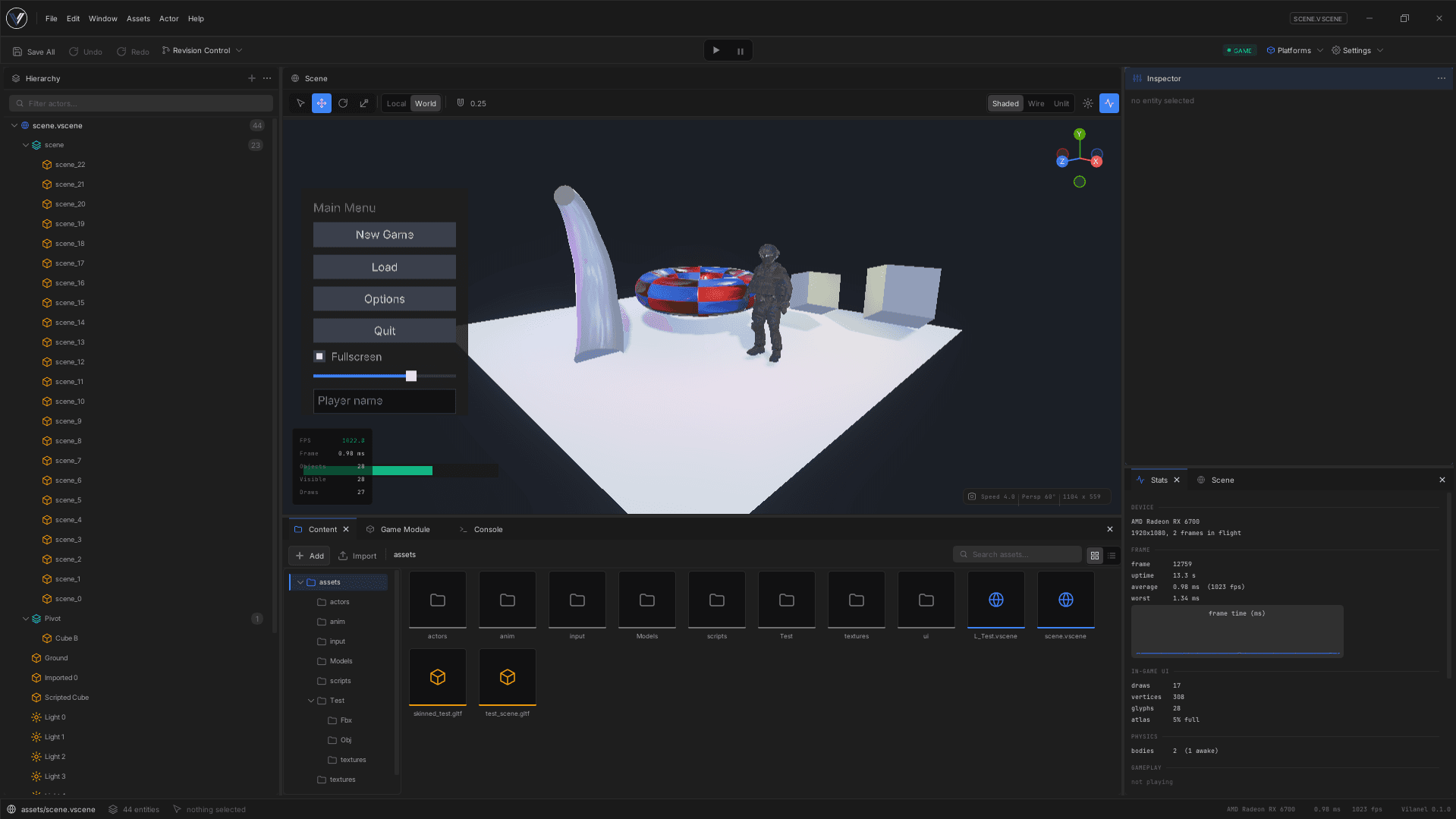
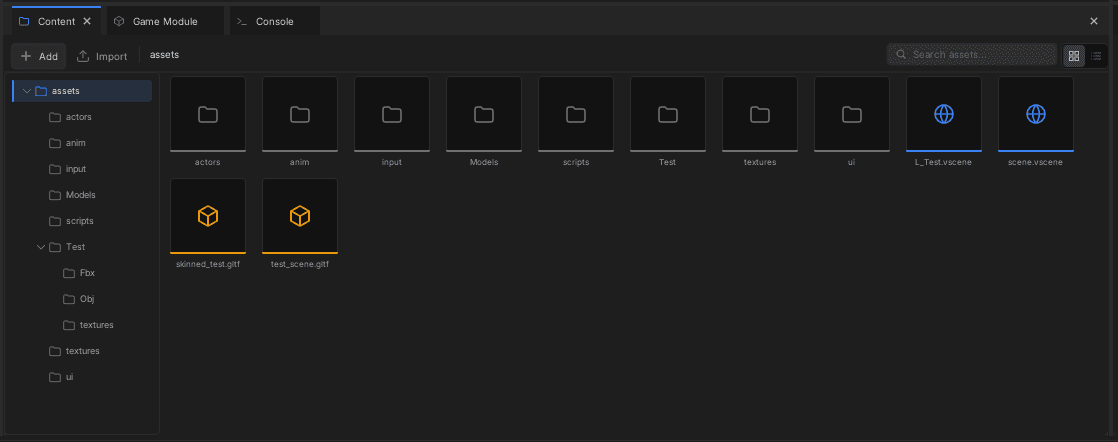
Two views of every asset, and the link between them
There is the file you edit in Blender or Photoshop, and there is the converted version the engine actually loads. Showing only one of them is how somebody ends up editing the wrong file.
- Selecting a source file shows what it produced
- A browser showing only your files cannot tell you whether anything actually worked. One showing only the converted output is a list of names with no way back to what made them.
- Repainting a texture rebuilds what used it
- A model file points at its textures rather than containing them, so editing a texture changed nothing the model file recorded and the old one stayed on screen. The converter now remembers what each output was built from.
- Changes are noticed, not polled for
- The engine used to re-scan the whole project every few frames to spot edits, which costs the size of the project rather than the size of the change and could not say what had actually changed, so any edit rebuilt everything. It now waits for the operating system to say, and waits a moment after that, because saving a file is rarely a single event.
Everything else
Physics
Objects that fall, collide and stack, plus a character that walks around them. The character is handled separately from ordinary physics objects, which is what makes it feel like a game character rather than a barrel that happens to be person-shaped.
Pathfinding
Walkable areas are worked out from the ground itself rather than from everything that has collision, because what a character can walk on is usually a subset of what it can bump into. Paths are straightened afterwards, or characters zig-zag between waypoints.
Audio
Positional sound that gets quieter and moves across the speakers as you turn. If there is no sound device it carries on silently rather than refusing to start, which is also what lets the audio tests run on a machine with no sound card.
Threading and profiling
Work that can be split across processor cores runs through one shared pool. The engine is instrumented throughout, so a frame that gets slower can be measured rather than guessed at.
Code the build writes for you
Saving a file, filling the properties panel and carrying an object across a code reload all need the engine to know what that object contains. It works that out by reading your source while the project builds, rather than asking you to list it by hand and keep the list up to date.
The Hub
A separate application that lists your projects, creates them from templates and manages which engine versions are installed. It is separate because an editor that can only be started by another program is one whose startup nobody can debug.